Managing Client Profiles
Abacor allows you to manage client profiles directly within Contacts. You can edit information for contacts you’ve created in Abacor, while information imported from Karbon (such as name or email) must be updated in Karbon. Any changes made in Karbon will automatically be reflected in Abacor to ensure consistency across systems.
Written By Delane Ly
Last updated About 1 year ago
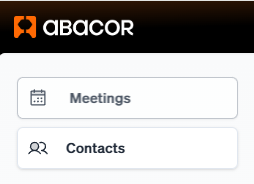
Step 1: Navigate to Contacts
From your Abacor dashboard, go to Contacts.
Step 2: Select a Client Profile
Click on the client profile you want to manage.

Step 3: Open the Details Tab
Inside the profile, go to the Details tab.
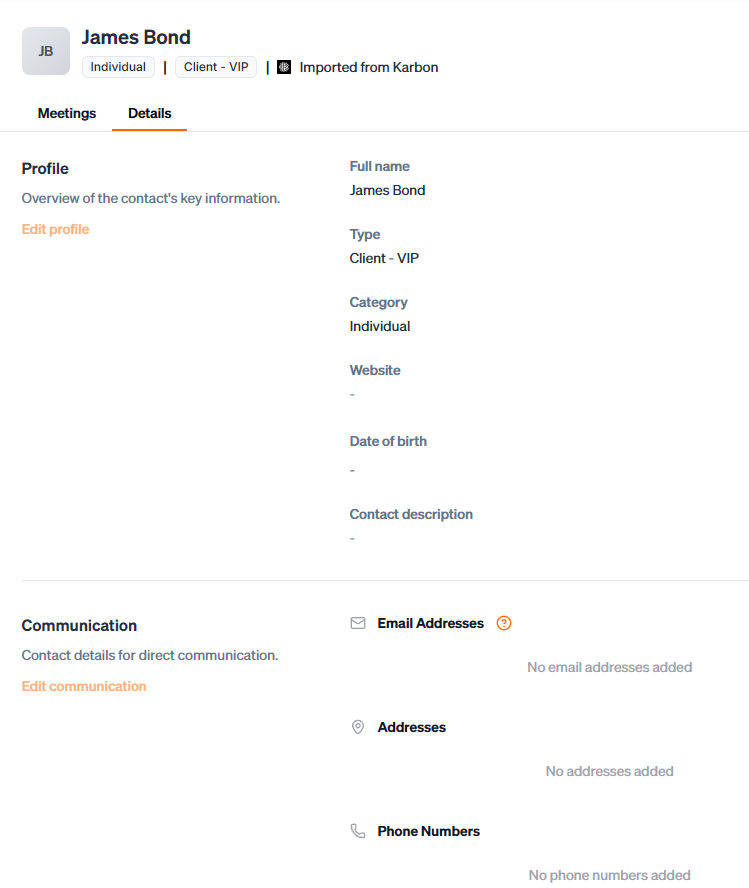
Step 4: Edit Profile Information
Click the Edit button to update client details.
For contacts created in Abacor, you can edit fields like name, email, organization, or contact type.
For contacts imported from Karbon, core details (such as name and email) must be edited in Karbon. Once updated, the changes will sync into Abacor automatically.
Step 5: Save Changes
After editing, click Save to apply your updates to the client profile.
FAQ
Why can’t I edit client details imported from Karbon?
Client details such as name, email, and organization that were imported from Karbon are managed directly in Karbon to keep both systems consistent.
If you need to update this information, make the changes in Karbon. Once updated, the changes will automatically be reflected in Abacor after the next sync.
Troubleshooting
Edit Button Not Visible
Make sure you are in the Details tab of the contact profile. The Edit option only appears there.Changes Not Saving
Confirm that all required fields (e.g., name, email) are filled in before clicking Save. If the issue persists, try refreshing your page and re-editing the profile.Unable to Edit Imported Karbon Contacts
Core details such as name and email must be updated directly in Karbon. Once changed there, the updates will automatically sync to Abacor.Updates from Karbon Not Appearing
If you’ve updated information in Karbon and it hasn’t shown up in Abacor yet, allow time for the next sync cycle. Refresh the Contacts page to check again.
Still having trouble?
Email us at [email protected] with the meeting date and title so we can help.
Was this helpful?
Still need help? Ask the team